
Strawberry
Strawberry
Intelligent browser with built-in AI assistant
Product Introduction
Overview
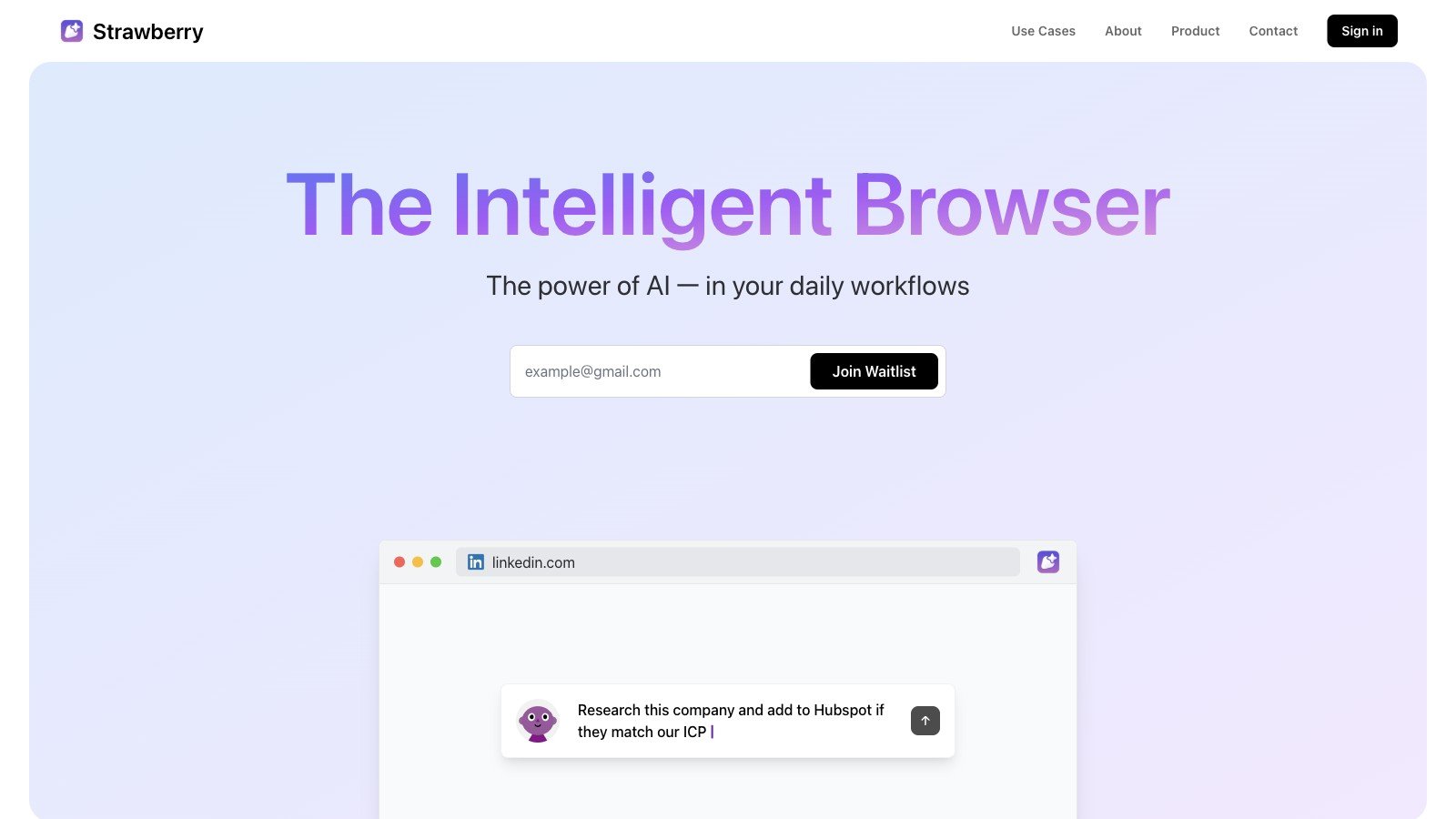
Strawberry Browser is an innovative AI-driven browser designed to help users efficiently complete various tasks through intelligent assistant features. Users can train assistants to perform specific tasks such as data entry, information organization and email sending, allowing them to focus on more important work. These assistants can operate in the browser like humans, support automated tasks, and seek user consent before performing critical operations, ensuring users always maintain control. In addition, assistants learn user preferences and workflows, becoming smarter and more aligned with user needs over time.
Key Highlights
- Task Automation: Automatically complete repetitive tasks such as data entry, information organization, etc.
- Intelligent Assistant: Complete specific tasks through trained assistants, which learn user preferences and workflows
- In-browser Operations: Assistants operate directly in the browser, supporting task execution on logged-in pages
- User Control: Seek user consent before performing critical operations (such as sending emails, editing documents, etc.)
- Data Security: All data is stored on local devices, and necessary data is only sent to AI providers when requested by users
Target Users
Main Features
Task Automation
Automatically complete repetitive tasks such as data entry, information organization, etc.
Key Benefits:
- Reduce manual repetitive operations
- Improve work efficiency
- Reduce operation error rate
- Save time and energy
- Standardize workflows
Intelligent Assistant
Complete specific tasks through trained assistants, which learn user preferences and workflows.
Key Benefits:
- Personalized learning and adaptation
- Intelligent task execution
- User preference memory
- Workflow optimization
- Continuous improvement capability
In-browser Operations
Assistants operate directly in the browser, supporting task execution on logged-in pages.
Key Benefits:
- Seamless integration experience
- No need to switch applications
- Maintain work continuity
- Real-time operation feedback
- Context-aware execution
User Control
Seek user consent before performing critical operations (such as sending emails, editing documents, etc.).
Key Benefits:
- Ensure complete user control
- Prevent accidental operations
- Maintain operation security
- Build user trust
- Transparent execution process
Data Security
All data is stored on local devices, and necessary data is only sent to AI providers when requested by users.
Key Benefits:
- Local data storage
- Privacy protection priority
- Data control in hand
- Reduce data breach risk
- Comply with privacy regulations
Extension Support
Will support extension features in the future to further improve user experience.
Key Benefits:
- Feature extension possibilities
- Third-party integration support
- Personalization capabilities
- Ecosystem construction
- Continuous feature updates
Usage Guide
System Requirements
- Operating system: Windows or macOS
- Network connection: Stable internet connection
- Storage space: At least 2GB available space
- Browser compatibility: Modern browser environment
Installation Steps
- 1Visit Strawberry official website
- 2Download version for Windows or Mac
- 3Run installer and complete setup
- 4Register account and configure on first launch
Basic Usage
- Open Strawberry browser and log in to account
- Experience basic AI assistant features
- Train assistant to perform simple tasks
- Observe assistant learning and adaptation process
- View automated task execution results
Advanced Features
- Create complex automated workflows
- Train assistant to handle specific business scenarios
- Configure privacy and security options
- Manage assistant learning data
- Integrate third-party tools and extensions
Use Cases
Generate Reports
Extract data from analysis tools and generate weekly reports.
Typical Applications:
- Automatic data extraction
- Report content generation
- Format standardization
- Automated periodic reports
- Data visualization assistance
Email Sending
Send article content to colleagues without leaving the current page.
Typical Applications:
- Automatic content organization
- Email template application
- Intelligent recipient selection
- Send confirmation mechanism
- Follow-up reminder settings
Data Filling
Extract company information from articles and fill into Google Sheets.
Typical Applications:
- Intelligent information extraction
- Data format conversion
- Automatic table filling
- Data validation check
- Batch processing support
Parallel Research
Research hundreds of companies simultaneously, extract data and supplement their tech stacks.
Typical Applications:
- Multi-target parallel processing
- Structured data extraction
- Information association analysis
- Research result summarization
- Automatic report generation
Candidate Evaluation
Research and evaluate job candidates, add information to tables.
Typical Applications:
- Resume information extraction
- Evaluation criteria application
- Data table entry
- Evaluation report generation
- Decision support analysis
Meeting Follow-up
Send follow-up emails with action items after meetings.
Typical Applications:
- Meeting content summarization
- Automatic action item extraction
- Follow-up email generation
- Reminder settings
- Progress tracking
Calendar Update
Extract information from emails and update calendar events.
Typical Applications:
- Email content parsing
- Schedule information extraction
- Automatic calendar update
- Reminder settings
- Conflict detection
Technical Features
Task Automation
Automatically execute repetitive web tasks
Intelligent Assistant
AI assistant learns and executes tasks
In-browser Operations
Native browser environment operations
User Control
User confirmation mechanism for critical operations
Data Security
Local data storage and privacy protection
Extension Support
Third-party extensions and integration
Pros
- Powerful AI assistant features
- User-friendly interface
- Free to use
- High automation efficiency
- Data security guaranteed
Cons
- Features still in development
- Stability needs improvement
- Learning curve exists
- Limited advanced features