
360 AI Browser
360 Group
Integrated AI intelligent browser launched by 360 Group
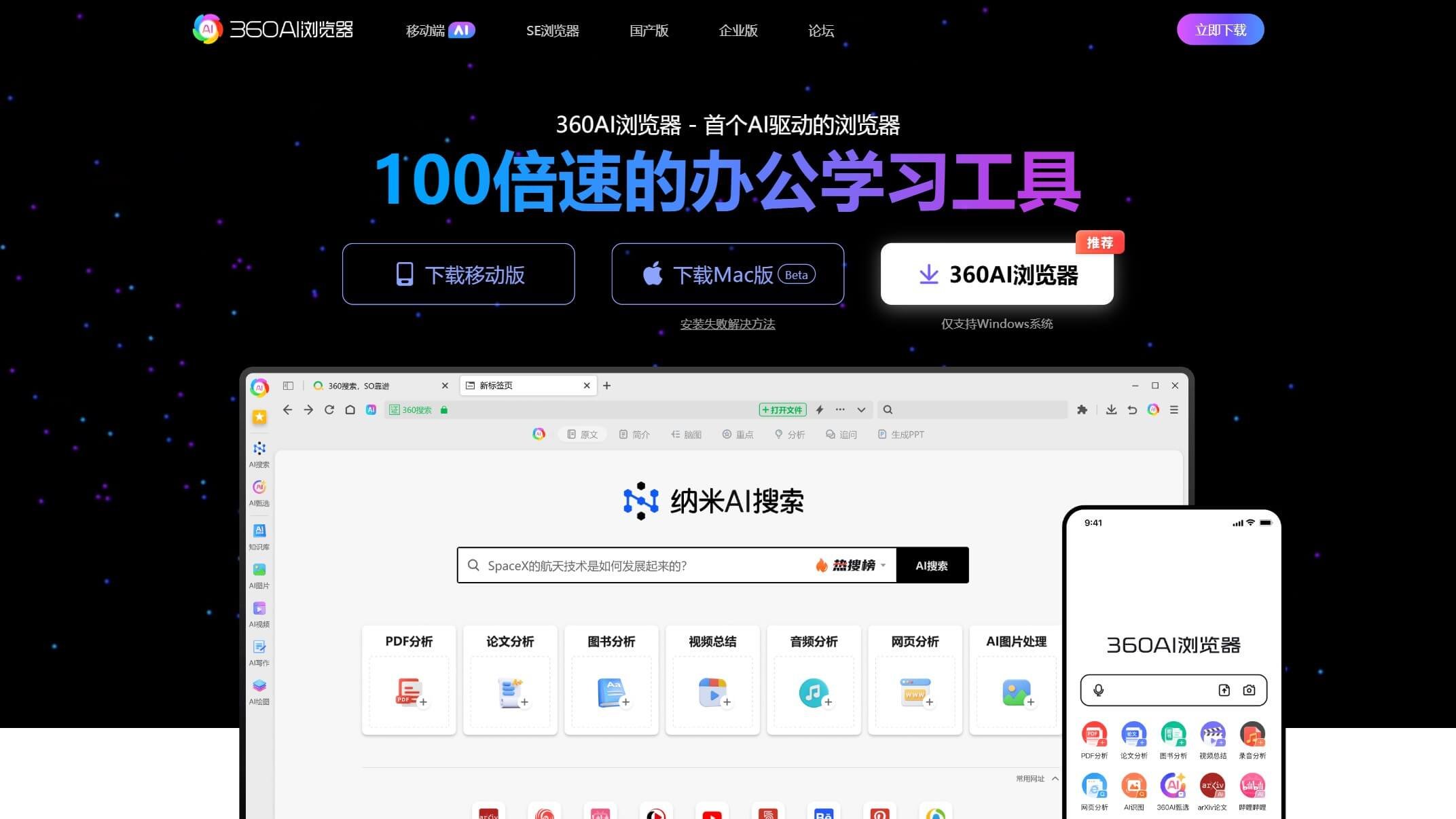
Product Introduction
Overview
360 AI Browser is an intelligent browser with integrated AI technology launched by 360 Group, aiming to improve users' information acquisition and processing efficiency through AI capabilities. As the first truly intelligent browser in China, this product combines the capabilities of 360's AI brain large model, capable of intelligently processing web pages, PDFs, videos and other content, significantly improving browsing efficiency.
Key Highlights
- AI Search Function: By analyzing questions, filtering results and integrating text, directly generates point-by-point answers, supports follow-up questions and mind map generation
- Long Text Processing: Supports 5 million character long text processing, can automatically generate summaries, article structure and mind maps, far exceeding similar products
- Audio-Video Analysis: Supports extracting video subtitles, summarizing highlights, generating mind maps, and can process local and online videos
- PDF Intelligent Reading: Built-in ChatPDF assistant, supports one-click translation and concept explanation
- Tool Integration: Left toolbar integrates AI file assistant, AI writing, AI painting and other functions
Target Users
Main Features
AI Search Function
By analyzing questions, filtering results and integrating text, directly generates point-by-point answers, supports follow-up questions and mind map generation, improving information retrieval efficiency.
Key Benefits:
- Intelligent question analysis
- Result filtering and integration
- Point-by-point answer generation
- Follow-up question interaction support
- Automatic mind map generation
Long Text Processing
Supports 5 million character long text processing, can automatically generate summaries, article structure and mind maps, far exceeding similar products' processing capabilities.
Key Benefits:
- Ultra-large text processing
- Intelligent summary generation
- Article structure extraction
- Automatic mind map creation
- Structured content analysis
Audio-Video Analysis
Supports extracting video subtitles, summarizing highlights, generating mind maps, and can process local and online videos, convenient for users to quickly understand content.
Key Benefits:
- Automatic video subtitle extraction
- Content highlight summarization
- Mind map generation
- Local video support
- Online video processing
PDF Intelligent Reading
Built-in ChatPDF assistant, supports one-click translation and concept explanation, helping users efficiently read foreign language literature or complex documents.
Key Benefits:
- Intelligent PDF content parsing
- One-click translation function
- Concept explanation assistance
- Foreign language literature reading
- Complex document processing
Tool Integration
Left toolbar integrates AI file assistant, AI writing, AI painting and other functions, providing one-stop office and learning solutions.
Key Benefits:
- AI file assistant
- AI writing tools
- AI painting function
- One-stop solution
- Integrated office and learning
Usage Guide
System Requirements
- Operating system: Windows, macOS or mobile
- Network connection: Stable internet connection
- Storage space: At least 2GB available space
- Hardware requirements: At least 4GB RAM
Installation Steps
- 1Visit 360 AI Browser official website or app store
- 2Download and install the corresponding version (supports Windows, Mac and mobile)
- 3Run the installer and complete initial setup
- 4Log in to account and configure features on first launch
Basic Usage
- Open browser, enter questions or keywords in the search bar
- Experience AI search function, view point-by-point answers and mind maps
- Upload PDF or video files, use corresponding AI analysis functions
- Use various AI tools through the left toolbar
- Set personalized preferences and feature options
Advanced Features
- Configure AI model parameters and processing options
- Set multi-language translation preferences
- Manage cloud synchronization and data backup
- Customize toolbar and shortcuts
- Integrate third-party services and APIs
Use Cases
Academic Research
Quickly read and summarize academic papers and foreign language literature, generate research structure and key points, improve research efficiency.
Typical Applications:
- Intelligent paper summarization
- Foreign language literature translation
- Research structure generation
- Key point extraction
- Academic content analysis
Office Efficiency
Process meeting recordings, long documents and video materials, automatically generate meeting minutes and key summaries, save working time.
Typical Applications:
- Meeting recording to text
- Long document intelligent summarization
- Video content analysis
- Automatic meeting minutes generation
- Work efficiency improvement
Learning Assistance
Students can organize course materials and generate mind maps through AI browser, strengthen knowledge understanding and memory.
Typical Applications:
- Course material organization
- Mind map generation
- Knowledge point reinforcement
- Learning content summarization
- Memory assistance
Content Creation
Content creators can quickly analyze video content, extract subtitles and highlights, assist video script creation.
Typical Applications:
- Video content analysis
- Automatic subtitle extraction
- Highlight content summarization
- Script creation assistance
- Creative content generation
Multi-language Scenarios
Supports document translation and cross-language search, helping users break through language barriers and acquire global information.
Typical Applications:
- Real-time document translation
- Cross-language intelligent search
- Multi-language content processing
- Language barrier breakthrough
- Global information acquisition
Technical Features
AI Search
Intelligent search and answer generation
Long Text Processing
Ultra-long text intelligent processing
Audio-Video Analysis
Video subtitle extraction and analysis
PDF Intelligent Reading
PDF document intelligent parsing
AI Tool Integration
Multiple AI tool integration
360 Security Engine
360 security protection
Multi-device Sync
Cross-device data synchronization
Pros
- Strong 360 security system
- Excellent ad blocking
- Chinese user-friendly
- Rich AI features
- Super processing capability
Cons
- AI features are relatively basic
- Interface is relatively traditional
- Advanced features may require payment