
QBot
Tencent
Tencent's AI browser upgraded from QQ Browser
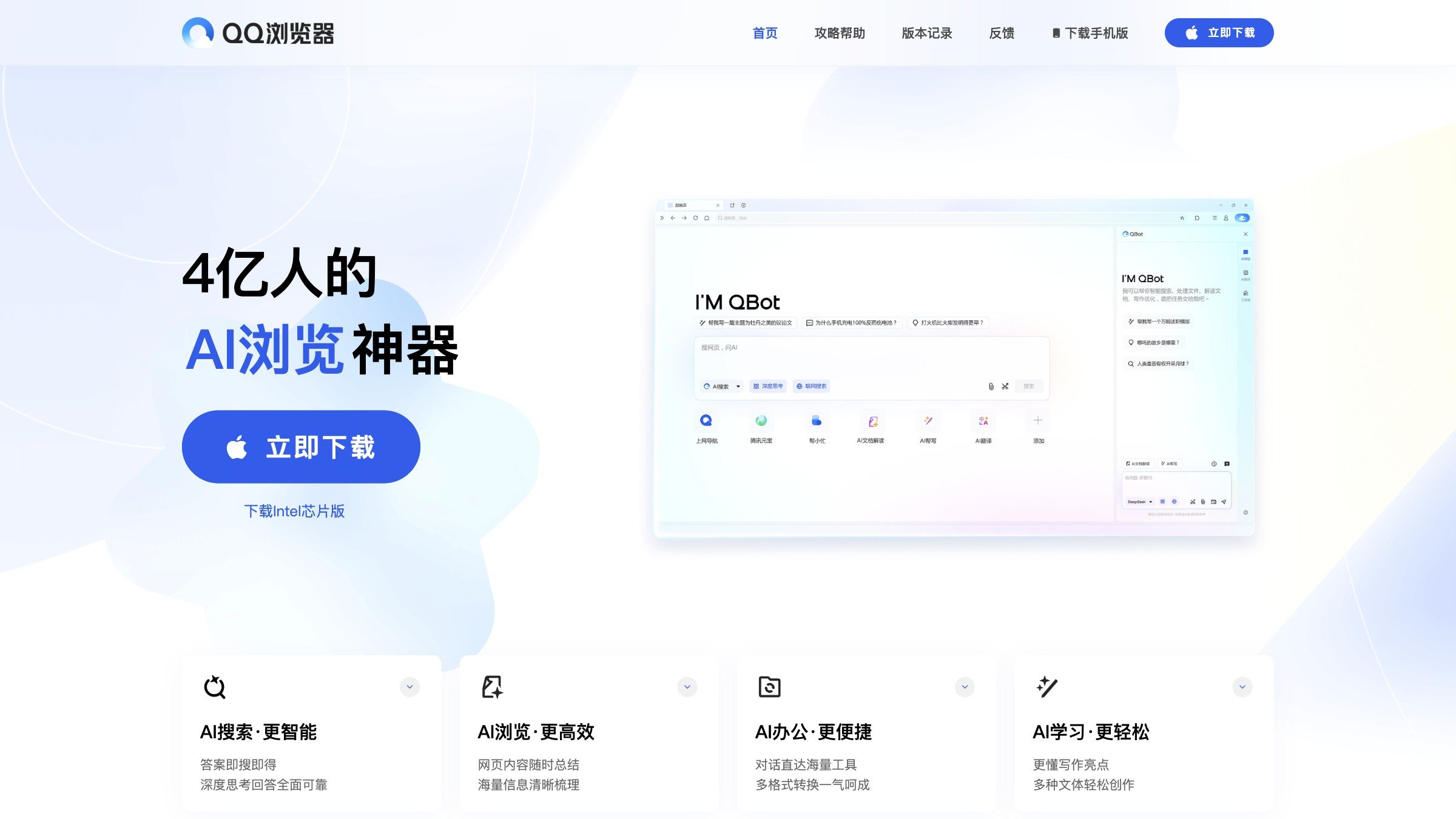
Product Introduction
Overview
QBot is an AI browser officially launched by Tencent on May 19, 2025, marking the comprehensive upgrade of QQ Browser to an AI browser. It integrates Tencent's self-developed Hunyuan large model and DeepSeek model, providing five core functions: AI search, AI browsing, AI office, AI learning and AI writing, aiming to provide users with a smarter and more efficient browsing experience.
Key Highlights
- Integrates Tencent's self-developed Hunyuan large model and DeepSeek model
- Provides five core functions: AI search, AI browsing, AI office, AI learning and AI writing
- Supports multiple input methods such as text, voice and images
- Features fast web content interpretation, full-text summarization, mind map generation and other functions
- Supports intelligent form editing, format conversion, table extraction and other office functions
Target Users
Main Features
AI Search
Supports multiple input methods such as text, voice and images, able to understand users' diverse needs and provide accurate answers.
Key Benefits:
- Multi-modal input support
- Accurate answer generation
- Intelligent content filtering
- Quick question answering
AI Browsing
Features fast web content interpretation, full-text summarization, mind map generation and other functions to help users efficiently acquire and understand information.
Key Benefits:
- Automatic web content interpretation
- Intelligent full-text summarization
- Automatic mind map generation
- Structured information display
AI Office
Provides office tools such as document editing, format conversion, table extraction, etc., meeting users' diverse needs at work.
Key Benefits:
- Intelligent document editing
- Multi-format file conversion
- Table data extraction
- Office workflow automation
AI Learning
Can perform step-by-step analysis of difficult math, physics and chemistry problems, and provide AI essay tutoring services to help students improve learning efficiency.
Key Benefits:
- Math, physics and chemistry problem analysis
- Intelligent essay tutoring
- Learning material organization
- Knowledge point reinforcement
AI Writing
Users only need to specify the writing topic and keywords, and QBot can generate a complete first draft with appropriate tone, and supports polishing and modification functions.
Key Benefits:
- Intelligent first draft generation
- Content structure optimization
- Tone adjustment and polishing
- Writing efficiency improvement
Usage Guide
System Requirements
- Supported operating systems: Windows, macOS, Mobile
- Stable internet connection
- Latest version of QQ Browser
- Tencent account (recommended)
Installation Steps
- 1Visit QQ Browser official website or app store
- 2Download and install the latest version of QQ Browser
- 3Launch the browser, the system will automatically enable QBot features
- 4Complete simple feature introduction and settings on first use
Basic Usage
- Open QQ Browser, enter questions or needs in the search bar
- QBot will simultaneously present AI search and web search results
- Click the QBot button in the top right corner, call up the reading toolbox based on the current page type
- Experience AI interpretation, translation, mind map generation and other functions
- When office operations are needed, call up the AI toolbox through QBot
Advanced Features
- Customize AI model preference settings
- Configure personalized search and browsing options
- Set detailed parameters for AI learning and writing
- Manage synchronization and data sharing between multiple devices
- Integrate other services in the Tencent ecosystem
Use Cases
Student Learning
When encountering questions you don't understand during learning, you can use the photo search function to get answers and detailed analysis; when writing, you can use the AI essay tutoring function to improve writing skills.
Typical Applications:
- Photo search to get analysis
- AI essay tutoring and grading
- Intelligent organization of learning materials
- Key knowledge point review
- Online course content summarization
Workplace Office
When processing documents, you can use QBot's document editing, format conversion, table extraction and other functions to improve office efficiency; when writing work reports, plan summaries and other documents, you can use AI writing functions to quickly generate first drafts and polish them.
Typical Applications:
- Intelligent document format conversion
- Automatic table data extraction
- AI-generated work reports
- Intelligent plan summary writing
- Email content optimization
Information Acquisition
When browsing web pages, through QBot's AI browsing function, quickly interpret web content, summarize full text, and generate mind maps to help users efficiently acquire and understand information; when searching for information, QBot can provide accurate answers while retaining web search results for users to compare.
Typical Applications:
- Intelligent web content summarization
- Complex article mind map generation
- Multi-source information integration
- Accurate answer positioning
- Structured knowledge organization
College Entrance Exam Preparation
With the help of the "AI College Entrance Exam Assistant" Agent in the first batch of gray testing, provide professional preparation guidance and information query services for college entrance exam students to help them better prepare for the exam.
Typical Applications:
- College entrance exam knowledge point organization
- Intelligent analysis of past exam questions
- AI tutoring for mock exams
- Intelligent suggestions for college application
- Personalized learning plan development
Daily Use
In daily life, when encountering various problems or needs, you can quickly query and solve them through QBot, such as querying stock information, downloading files, etc., making life more convenient.
Typical Applications:
- Real-time stock information query
- Intelligent file download acceleration
- Quick access to life information
- One-click call of practical tools
- Intelligent answers to daily questions
Technical Features
AI Search
Multi-modal intelligent search
AI Browsing
Intelligent web content interpretation
AI Office
Intelligent office document processing
AI Learning
Learning tutoring and analysis
AI Writing
Intelligent content creation
Hunyuan Large Model
Tencent self-developed AI model integration
DeepSeek Integration
DeepSeek model support
Pros
- Tencent ecosystem integration
- High security and stability
- Rich and practical AI features
- Free to use
- Multi-modal input support
Cons
- Interface is relatively traditional
- Feature integration is average
- Advanced features may require membership